StrategyQuant Alternatives: What to Use When Starting From Zero
Some links on this page are affiliate links: if you sign up through them, we may earn a commission at no extra cost to you.
If you are searching for StrategyQuant alternatives, you are probably at the start of the same journey many systematic traders go through: you want to test trading ideas on historical data without risking real money, and you are not sure which tool fits your level, budget and way of working. In our community we use StrategyQuant, so this article explains honestly why, and then walks through the other realistic options for someone starting from zero: Forex Tester, the TradingView strategy tester, the MetaTrader 5 Strategy Tester and code-first platforms.
A word of caution before we begin. We do not rank these tools, because the right one depends on what you want to do, and we have not benchmarked them against each other. Descriptions below come from the official pages of each product, read on 4 November 2026; features and prices change, so always check the vendor’s page before deciding. And remember that a backtest, whatever the software, shows how a rule would have behaved on past data. It does not guarantee anything about the future.
Why our community uses StrategyQuant
Trend Following Traders is a research community built around directional and automated trading. As we describe in our overview of directional and automated trading, the community’s strategy database, the DB Strategie, holds around a hundred automatic and semi-automatic strategies. Each one is built with StrategyQuant and then optimized with artificial intelligence, and backtested on about 9.5 years of Darwinex data. The founder describes them as the best of the best selected out of several million first- and second-generation strategies that were elaborated, with a third generation in the works.
That last sentence explains the choice. Our work is not testing one idea at a time by hand: it is searching a very large space of possible strategies and keeping only the few that survive. This is the job StrategyQuant is designed for. According to its official page, StrategyQuant X is software for generating, testing and researching algorithmic trading strategies without programming. It uses machine learning and genetic programming to combine and test large numbers of entry and exit conditions, order types and price levels against criteria you choose, such as net profit or Sharpe ratio. It also lists robustness tests, including Monte Carlo simulations, walk-forward optimization and system parameter permutations, which can run during the build process, and it exports strategies as source code for the target platform. The vendor offers a free 14-day trial; for prices, check its pricing page.
It is also the technical backbone of our short and long term trend following work. We say this not to tell you that it is the only valid choice, but to be transparent about where we stand: it is a tool built for strategy generation at scale, and that scale is what we need. If your goal is different, a different tool may be a better fit.
What do you actually need from a backtesting tool?
Before comparing products, it helps to separate three different jobs that all get called “backtesting”:
- Practising and validating a discretionary or rule-based idea. You have a method and want to replay history to see how you would have traded it, trade by trade.
- Coding and testing a single strategy. You write the rules in a language and let software run them across historical data.
- Generating and screening many strategies. You let software search for candidates and then stress-test them, which is the StrategyQuant use case.
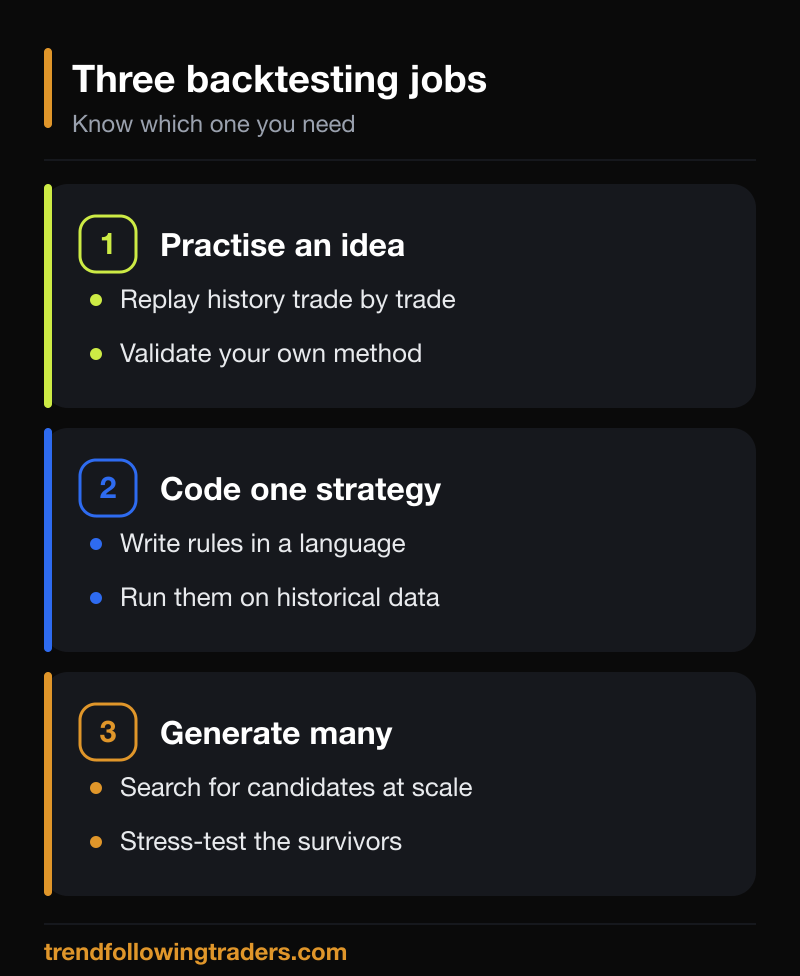 Most beginners need the first or second job, not the third. Starting with a simpler tool is not a compromise: it teaches you what a backtest can and cannot tell you, which is exactly what you need to know before you automate anything.
Forex Tester: replaying history like a simulator
Forex Tester is a trading simulator. On its official desktop page, the vendor describes it as software that simulates Forex trading so users can learn to trade and test strategies, both manual and automatic. It lists tools such as placing market orders from the chart, trade history on charts, paint tools and 40+ indicators, plus testing several automatic strategies (EAs) at once and a Strategy Optimizer for finding EA settings. It says the program works offline on locally stored data, and offers a data subscription and a separate historical data service. The vendor also points to a browser-based version, Forex Tester Online, and states that the desktop product is the older version.
The appeal for a beginner is the manual, trade-by-trade approach: you move through past price action and take decisions as if it were live, which is a way to build a track record of your own method before trading it. Pricing and the current feature set differ between the desktop and online versions, so read the vendor’s page before you buy; you can look at it through Forex Tester.
TradingView and Pine Script: testing on the chart you already use
If you already analyse charts on TradingView, its strategy tester is the lowest-friction way to put numbers on an idea. TradingView’s documentation explains that a strategy is a Pine Script program that can place, modify and cancel buy and sell orders, simulating trading directly on a chart. Adding a strategy to the chart opens a Strategy Report with metrics and a list of trades, and executed orders appear as arrows on the chart. You can write your own script or start from built-in strategies and community scripts.
The documentation is also candid about how the backtest works, and this is worth reading. By default the broker emulator fills orders using only the chart’s data; when it has no finer detail, it infers the path of price inside each bar from the open, high, low and close, so the order of events within a bar is an assumption. A feature called the bar magnifier uses lower-timeframe bars for more precise fills, but TradingView states that it is available on Premium and Ultimate plans and is limited to 200,000 bars from the lower timeframe. The documentation also warns that non-standard charts such as Heikin Ashi or Renko use synthetic prices and typically produce unrealistic results. The lesson applies to every tool in this article: understand the fill assumptions before trusting any equity curve. You can explore the platform through TradingView.
MetaTrader 5 Strategy Tester: built into the platform
 If you already use or plan to use MetaTrader 5, the platform includes its own Strategy Tester. Its official help page says it tests and optimizes Expert Advisors on historical data: a test runs an EA once with fixed parameters, while an optimization runs it repeatedly with different parameter sets. It offers several tick-generation modes, from every tick based on real ticks (the most accurate, and the slowest) to open prices only, along with execution delay settings, forward testing that holds the parameters found in the earlier period fixed on the later one, multi-currency testing and visual testing.
It can also use local agents in parallel and connect to the MQL5 Cloud Network for heavy optimizations. The trade-off is that you need an Expert Advisor to test, either written in MQL5 or generated by another tool. That is the link with StrategyQuant: it exports source code for the target platform, so the two are complementary rather than strictly alternatives. For a beginner who wants zero extra cost and the same environment used for live trading, it is a sensible place to start.
Code-first platforms for people who program
If you are comfortable with programming, you can write strategies directly and skip visual builders entirely. QuantConnect, for example, documents a platform for writing trading algorithms with examples in Python and C#, covering a first backtest through live trading, available as a cloud platform, a local platform or through a command-line interface. This route gives maximum flexibility and the steepest learning curve. We mention it for completeness; we have not used it for our research and do not make claims beyond what its documentation states.
How to choose among StrategyQuant alternatives
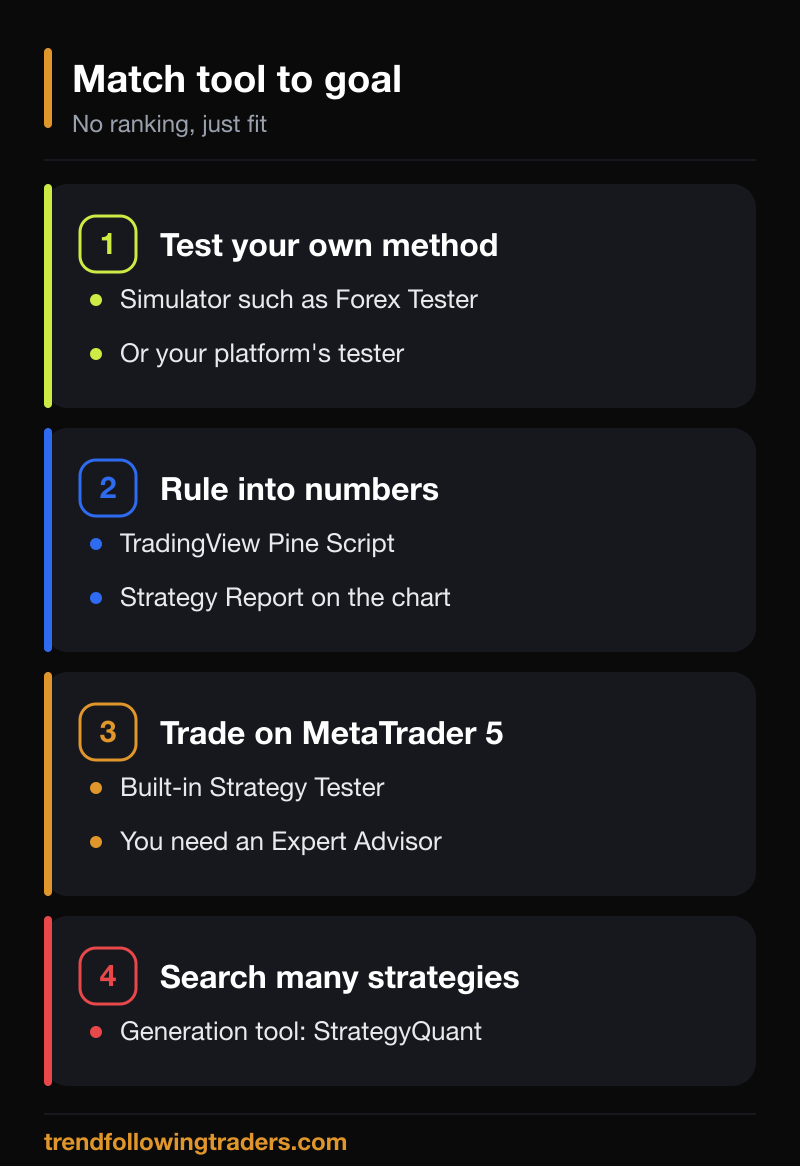
Rather than a ranking, here is a simple way to match tool and goal, based on the descriptions above:
- You want to learn to read and test your own discretionary method: a simulator such as Forex Tester, or the strategy tester inside the charting platform you already use.
- You already use TradingView charts and want to turn a rule into numbers: Pine Script strategies and the Strategy Report.
- You trade or plan to trade on MetaTrader 5: its built-in Strategy Tester, with an Expert Advisor to test.
- You program and want full control: a code-first platform.
- You want to search a large space of strategies and robustness-test the survivors: a strategy-generation tool such as StrategyQuant, which is why we use it.
Whichever you pick, a few habits matter more than the tool. Test on data your rules have never seen, keep costs and slippage realistic, and be suspicious of any result that looks too good. Our article on risk and reward in trend following explains why a strategy’s profile has to be judged together with its drawdowns, not by its best moments alone. Nothing here is a recommendation to trade or to buy any product, and trading carries a real risk of losing capital.
Frequently asked questions about StrategyQuant alternatives
Is there a free alternative to StrategyQuant?
Some options have free entry points: the MetaTrader 5 Strategy Tester is part of the platform, and TradingView lets you add strategies to charts, although the features available depend on your plan, such as the bar magnifier. Check each vendor’s current terms, since plans change. None of these is a strategy generator in the way StrategyQuant is.
Which alternative is best for a beginner?
We cannot say which is best in general. If you are new, a tool that lets you test your own idea trade by trade, or the tester in the platform you already use, usually teaches more about backtesting than an automatic generator. Pick the one that matches your platform and your skills.
Can I use StrategyQuant with MetaTrader 5?
StrategyQuant’s official page says strategies are exported as full source code for the target platform, and it lists a free 14-day trial. Check the vendor’s documentation for the exact platforms and export formats supported in the version you choose.
Does a good backtest mean a strategy will work live?
No. A backtest shows how rules would have behaved on past data under the tool’s assumptions. Markets change, costs and execution differ, and results can be over-fitted. Treat a backtest as a filter that rejects weak ideas, not as proof of future returns.
This article is for informational and educational purposes only. It describes software tools based on the vendors’ official pages as read on 4 November 2026, and it is not financial advice, an invitation to trade or a recommendation to buy any product. Backtest results, including those of the community strategies mentioned, are historical or simulated data and do not guarantee real or future results. Trading, automated or not, carries a concrete risk of losing capital.